

FEATURES
An All In one Order Management Software
See how Biizline works as an order management system for distributors, wholesalers, and suppliers, solving the operational challenges Indian businesses face every day.




Trusted by 10,000+ Manufacturers, Distributors and Wholesalers across India
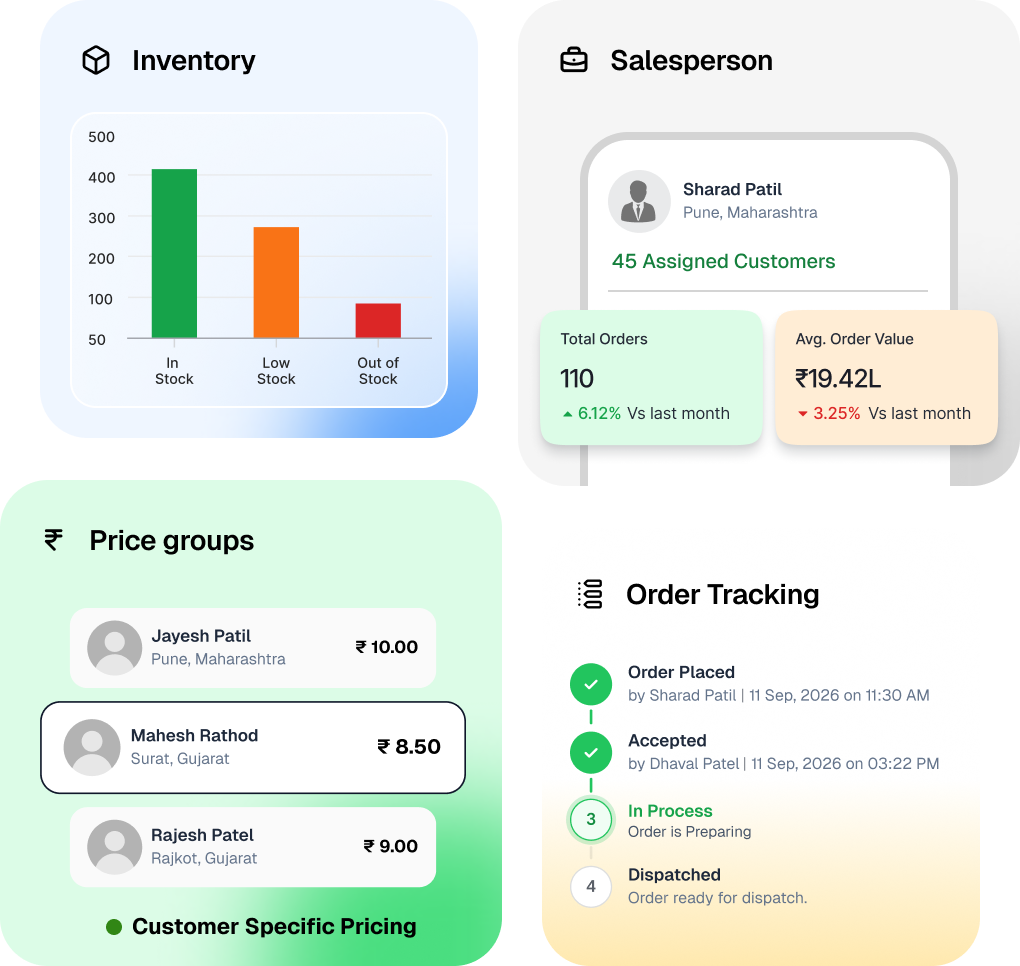
Trusted by 10,000+ Manufacturers, Distributors and Wholesalers across India







Order capture
Every order in one clean place
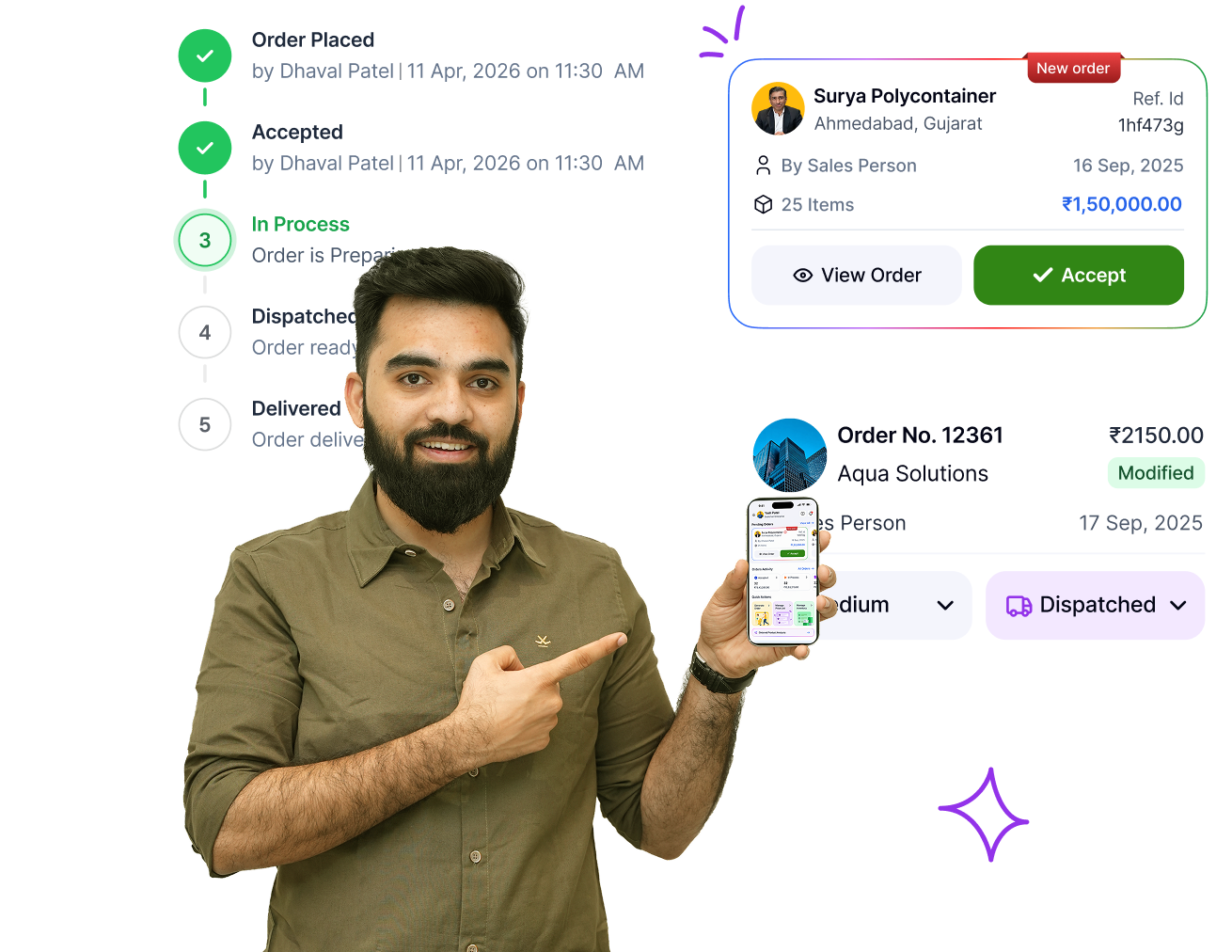
Orders come in complete and checked, on one record from the start.
- Structured entry Every order goes in with the item, quantity, and price
- Review and approve Nothing is confirmed until you say so
- Order-linked chat The conversation stays on the order, not in a side group
- Customer self-service Customers log in and place their own orders
Pricing
The right price, applied on its own
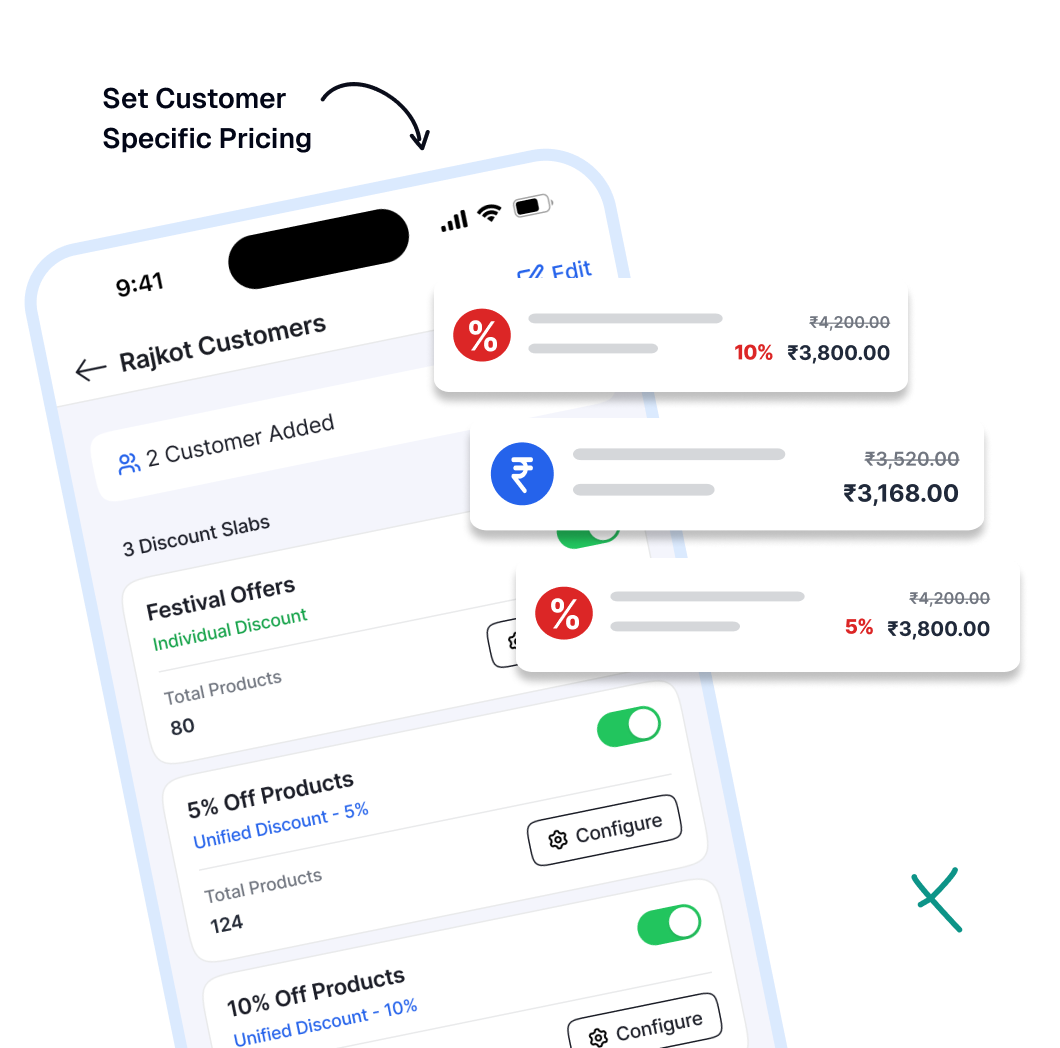
Each customer’s rate and your discounts run the same way every time.
- Customer rates Saved once against a name, applied to every order
- Two discount types a group rate or different rates per item, assigned to a customer
- One change, everywhere Revise a rate once and it updates across every customer it applies to
- Rate lock The price freezes when the order is confirmed
Inventory
Know what you can promise
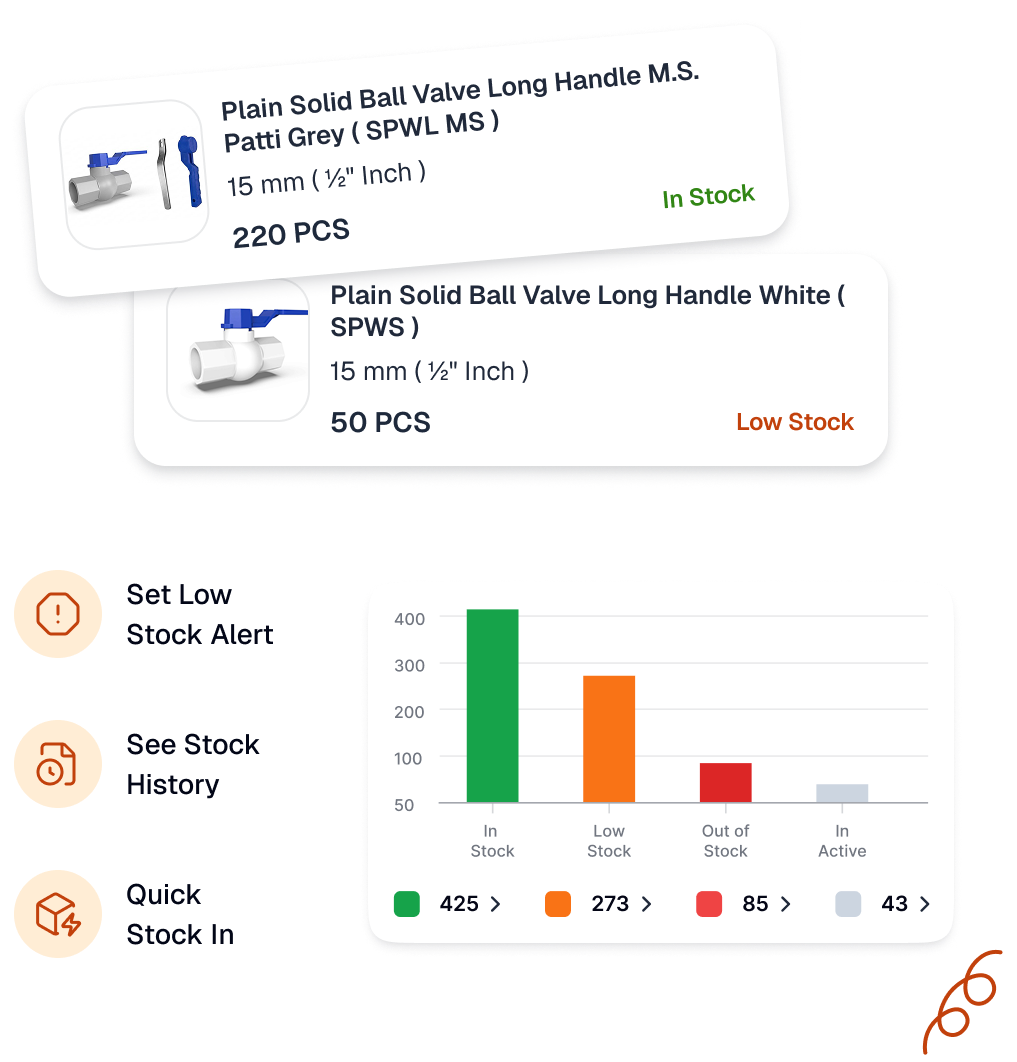
Monitor stock and get a warning before it runs out.
- Live stock Current quantity with full, downloadable history
- Low-stock alerts Set a level and get warned before it hits zero
- Quick stock-in Add new stock and it shows up right away
- Unit handling Manages bags, kilos, and tonnes without conversion mistakes
Team and field sales
The team keeps moving without you
Everyone works from the system, not from one person’s memory.
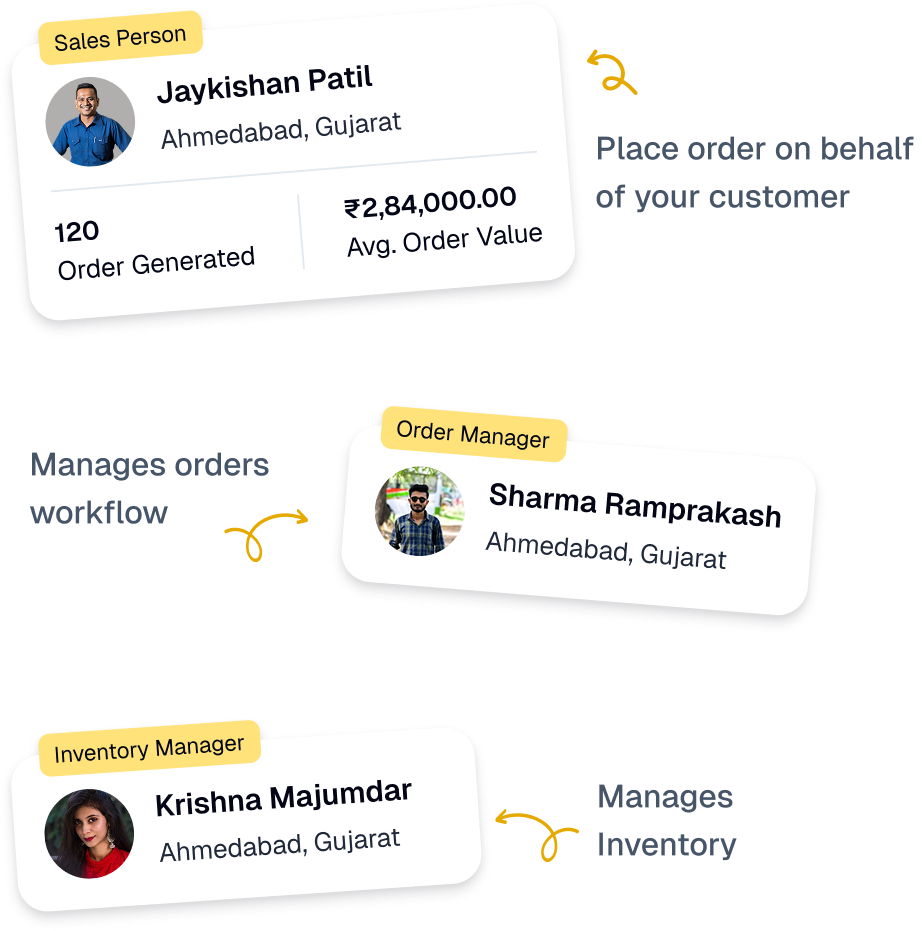
- Role-based access Each person sees only what they need for their work
- Mobile field access Check price and stock and place orders from anywhere
- Change log Who changed what, and when
- No bottleneck Orders move without routing through one person
for your customers
A smoother experience for your buyers
Your customers see their orders and serve themselves.
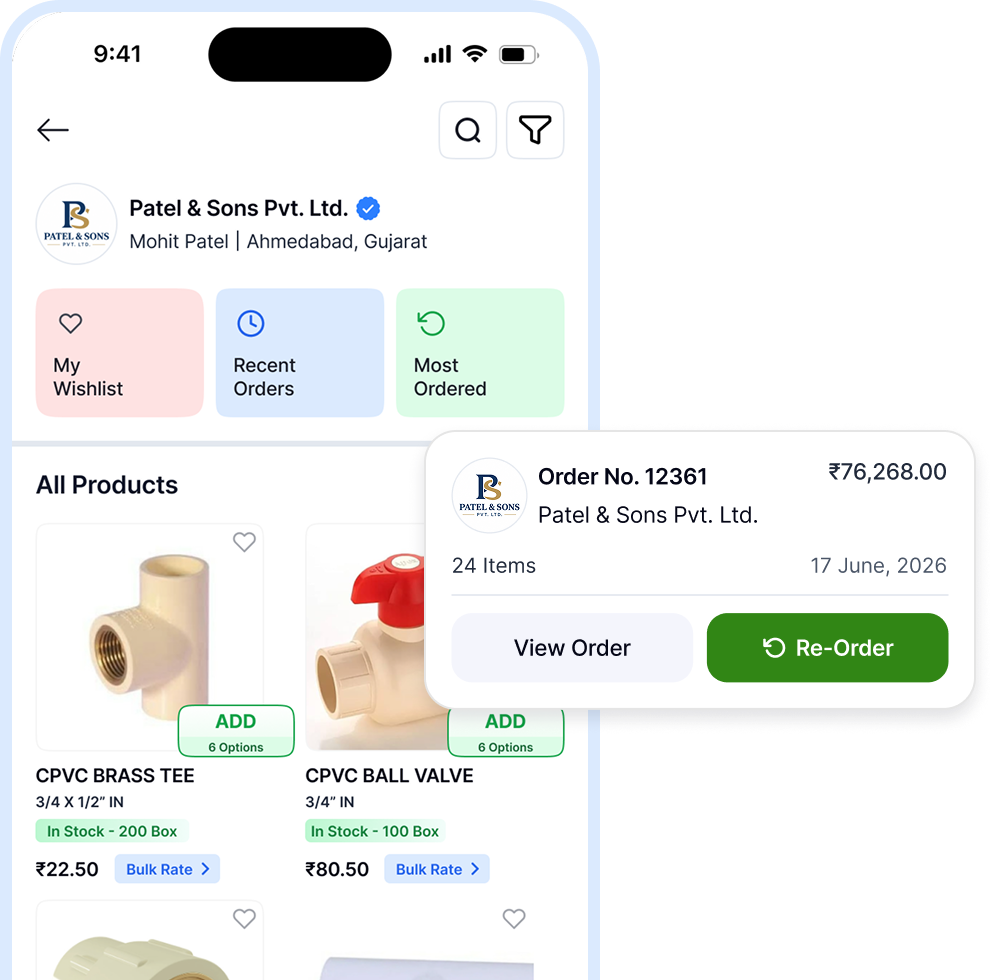
- Order tracking Confirmed to delivered, on their phone
- One-tap reorder The same list again in seconds
- Auto notifications A message on every status change
- Category browsing Live price and stock, order direct
Business Intel
See the business clearly
The numbers you need to plan, without compiling anything.
- Product analysis What is selling, how much, and to which customers
- Customer dashboard Order frequency and spend per customer
- Advance planning Plan from the orders already coming in
- Cloud backup Encrypted, synced, and always available




Frequently Asked Questions

Frequently Asked Questions
Can I manage all my customer orders in one place?
Yes. Biizline helps you keep customer orders in one place instead of managing them across different chats, calls and manual records.
Can I change an order after receiving it?
Yes. On eligible plans, you can review and make allowed changes to an order before it moves further in the process.
Can I track pending and dispatched orders?
Yes. Biizline helps you check the status of orders and see which orders are still pending or have been dispatched.
Can I partially dispatch an order?
Yes. Partial dispatch is available on eligible plans. You can dispatch the available quantity and manage the remaining quantity separately.
Can I manage customer-specific prices?
Yes. You can manage different prices for different customers and use the correct rate while taking orders.
Can my team members use Biizline?
Yes. You can add team members as users based on your plan and manage their access. You can also add Salesmen as add-on.
Can I review an order before it is processed?
Yes. Biizline provides an order approval process so your team can check an order before it moves ahead.
Can I see a customer's past orders?
Yes. Customer order history helps your team check previous orders when handling repeat business or customer queries.